
So, you’re running low on space, or just tired of the all the updates being installed on your computer, but what can you do. Windows 10 checks and installs updates automatically. Never fear…there is a solution. Rather than call the best Sherman Oaks computer repair guy, try the following. Below is step by step on how to manage pausing updates.
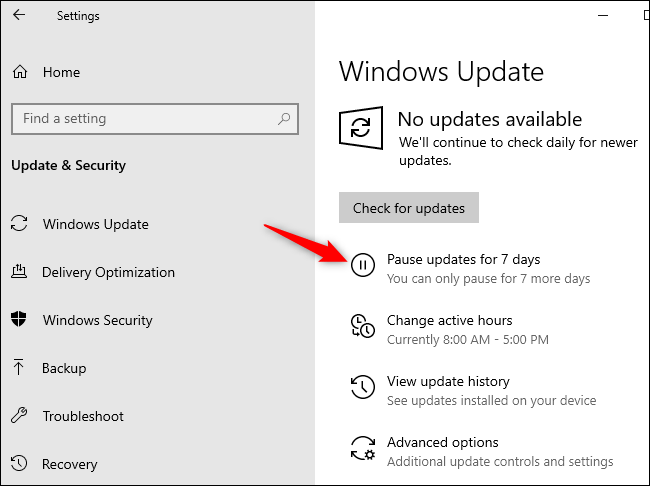
- Select Start > Settings > Update & Security > Windows Update .
- Select either Pause updates for 7 days or Advanced options. Then, in the Pause updates section, select the drop-down menu and specify a date for updates to resume.
 Shaw's Place Computer Repair