
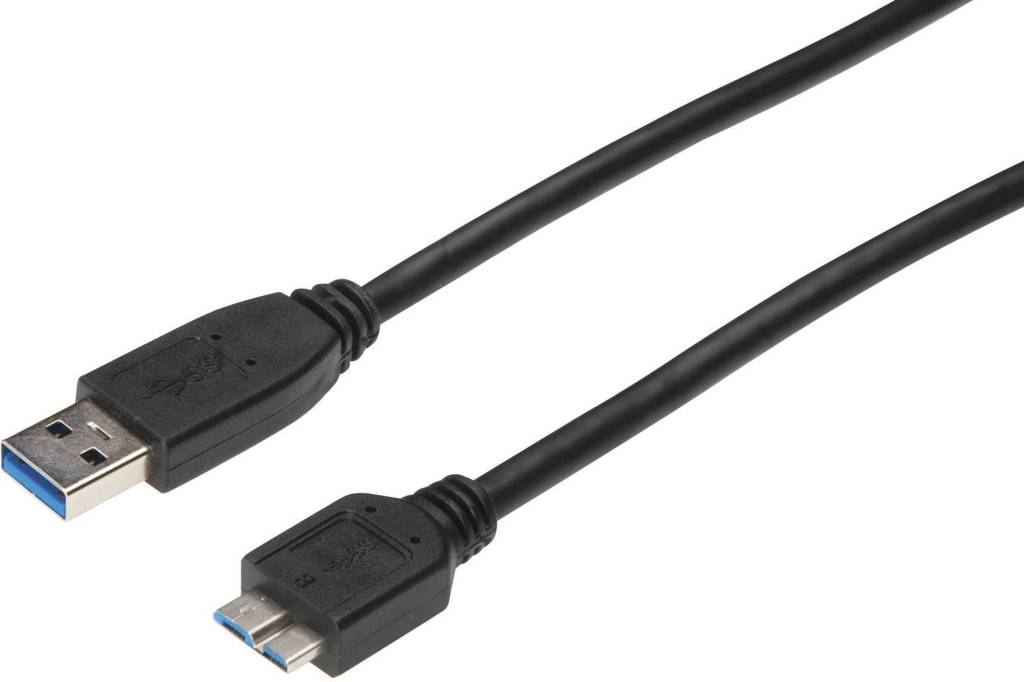
When you’re transferring a large amount of data, to an external hard drive, it can take awhile, especially those pesky video files. They’re usually a few gigabytes in size, each. There is a solution though. Next time you’re connecting your external hard drive, check the USB end that connects to your computer. If it’s blue inside, that means it’s USB 3.0, and very fast. All you need now, is a USB 3.0 port on your computer that’s also blue. Most modern computers come with at least one installed. All you do is connect both blue USB ends, and begin transferring your data. You’ll be amazed at how much faster it will be. You can do all this with Flash drives too. If it’s blue inside the drive, the plug it into the blue port. Shaw’s Place, along with the best Sherman Oaks computer repair guys will tell you this trick if you pose the issue.
 Shaw's Place Computer Repair