
Printers, just like all technology, are not perfect, & can give us trouble, sometimes, at inconvenient times. If you’re having trouble printing, or your printer is not recognized, here’s a quick fix, that can sometimes fix the problem. All you have to do is find, uninstall your printer drivers, then reinstall them again. This gives you a fresh start. Below is how, on Windows 10, to find your drivers, and uninstall them.
- Click START.
- Click the GEAR Icon.
- Click on APPS.
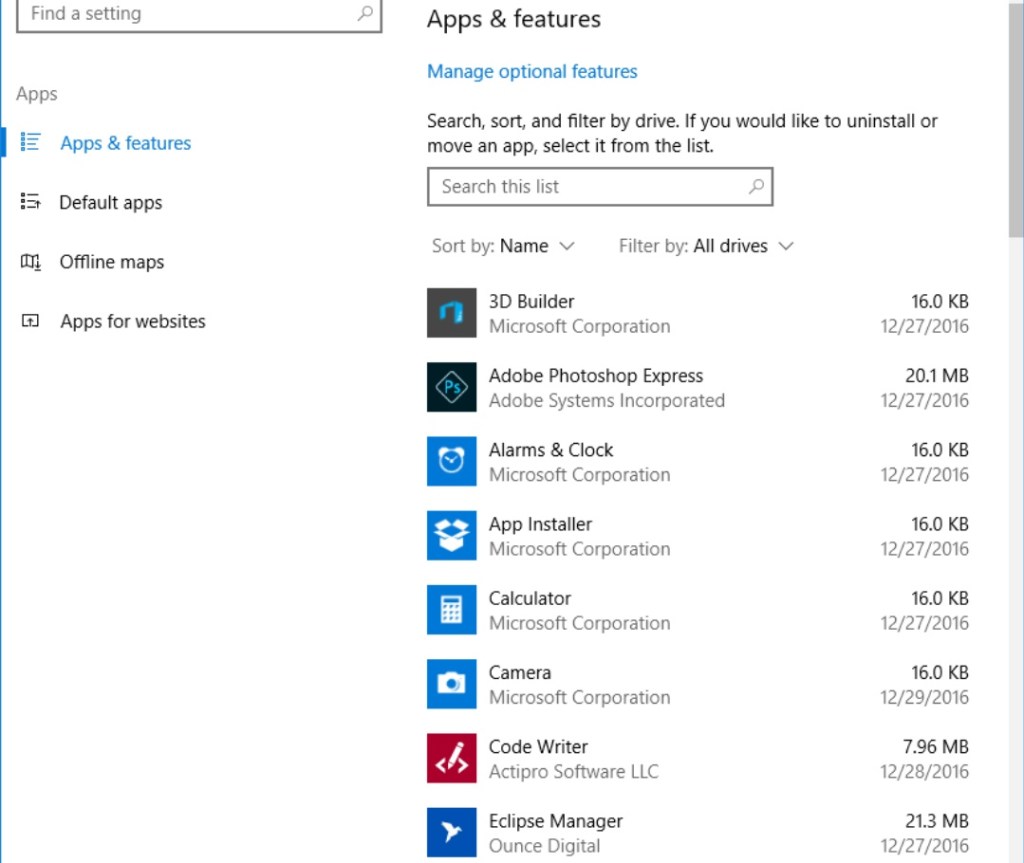
Scroll down the list of apps, until you find your printer driver listed. Click on the drivers, then click uninstall. Follow on screen guidance.
Next, go to google, and type in for example if your printer is HP, HP SUPPORT AND DRIVERS. Click on the link for HP Support and drivers.
https://support.hp.com/us-en/drivers
Click on Printer. Given the site guidance, find your printer, and download your full featured printer driver software. From here, it will be easy. Find your downloaded drivers, open them, and follow on screen guidance to install your printer. This just might save you a pc services call.
 Shaw's Place Computer Repair