
So, you’re at home working on your laptop, and the wifi goes out. You reset the router, but still, no signal. First off, you don’t want to call your best computer fixers for the job, but instead, you want to call your ISP (Internet Service Provider). When you do, they can’t come out immediately, due to high demand. What do you do? Well, there’s a simple solution. It’s called using a “HotSpot” or “Tethering”. If you have a smartphone, with a cellular connection, & I know you do, then you’re in business. You basically use your cellular connection, & turn it into a wireless router, to connect to for Internet access. Setup differs from device to device, but it is definitely simple. A simple YouTube video will guide you in the right direction,
Author: Shaw
More Options!!!
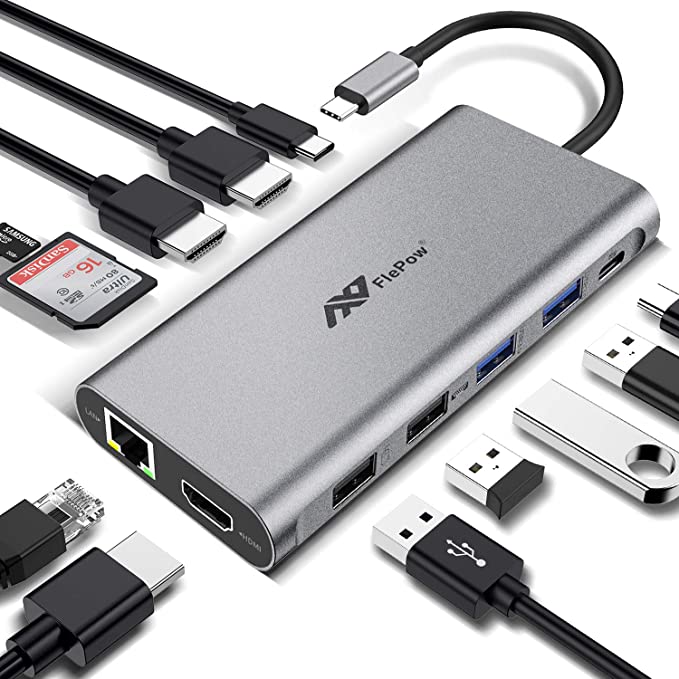
If you’re like me, then you when it comes to your laptop you all the options you can get. I like toys, and there’s never enough ports to plug into. Most laptops come with only a few usb ports, and only one each of the other ports, audio, network, display and so on. A docking station is a great way to enhance your laptop with more port options. Often times it can be quiet pricey to take your computer to a pc services guy in town, and have him add all these options. It’s more complicated than just opening up the laptop and plugging in additional ports. The more you add, the more the price climbs. Docking stations are great, because they come with a multitude of port options, giving you the expanse you need. Below is a picture of a common docking station, so you know what to look for. Good luck.
 Shaw's Place Computer Repair