
If you’re like me, when you’re done, you’re done. You don’t want additional steps to finish your work. This is all fine and dandy, except when you’re removing your flash drive from your USB port. There’s a safe way to do it, so you don’t risk data, or incur device errors. Below are the steps, to take, to avoid these issues, and have to call a pc services technician, and drop a bit of money for data recovery.
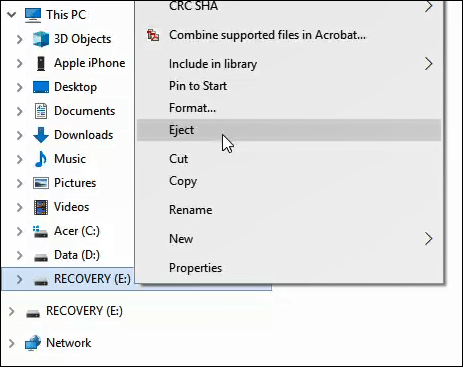
- Open File Explorer
- Find your drive listed in the left pane.
- Right click on the drive.
- Click eject.
- Wait about 30 seconds, then pull out your flash drive.
 Shaw's Place Computer Repair